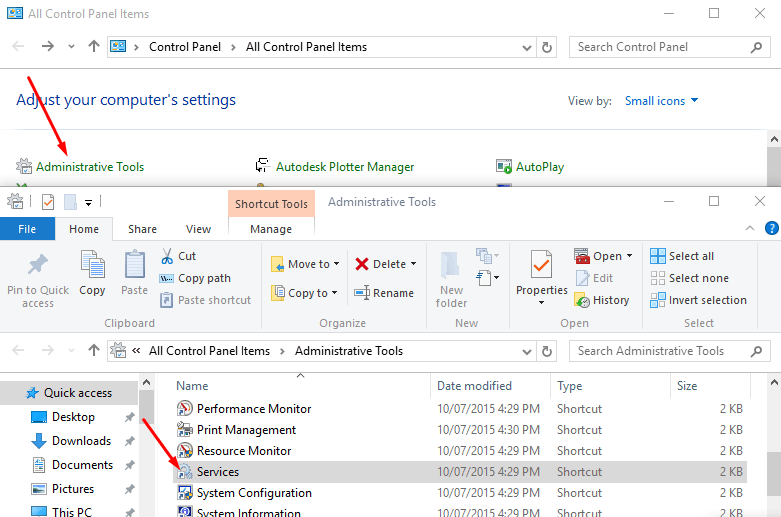
For Windows users, access to Control Panel is a basic necessity. The app is your only medium to change or view system settings. Here's how to easily find and access control panel in Windows 10/8.1/8/7.
There’s a Startup folder in Windows 10 that lets you run any app or file when your computer starts. So, if you don’t know where this folder is, or how to add programs into it – we’ve sorted it out below.
This guide details some easy ways to fix application has been blocked from accessing graphics hardware error in Windows 10.
A Blue Screen of Death (BSoD) is always a pain in the neck for Windows 10 users. And, it becomes more problematic when your Windows 10 computer faces the BAD_SYSTEM_CONFIG_INFO BSoD error.Here’s a complete fix for BSoD error – BAD_SYSTEM_CONFIG_INFO – on Windows 10
If you're a Windows user, you might have already encountered with the blue error screen on your PC. This blue error screen is infamously known as the
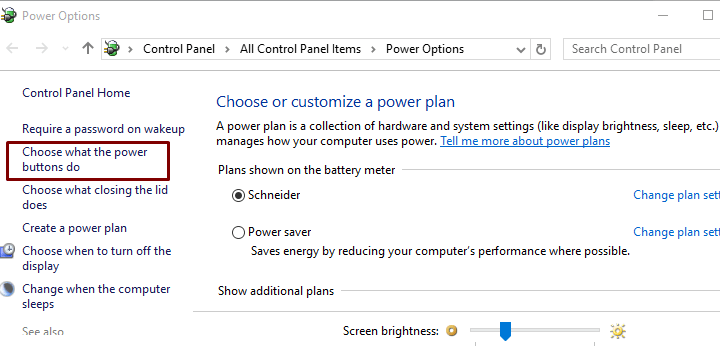
Sometimes too many applications in the background can significantly lower the speed of your PC. Here's how to change your computer's CPU priority to prefer the foreground apps in Windows 10.
Wondering how to turn off Cortana on Windows 10? Cortana is a great feature in Windows 10, but it has some downsides too. Read on to know the downsides of Cortana and how to disable it completely.
Wondering why is your computer running slow? There are many reasons why your PC is slow. Here's a complete guide on how to speed up a slow computer.
Creating a restore point helps you make changes to your Windows operating system with a peace of mind. Read on to know how to create the system restore point in Windows 10.
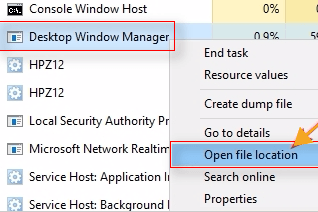
For a Windows Service such as dwm.exe, you need to understand the function of this file before making the fix. Here’s all you need to know about the dwm.exe file, and how to fix its high CPU consumption.
It can be very annoying when your Windows 10 autometically restarts after installing the updates, especially when you're in working on your PC. Here's how to stop the auto reboot after installation function in Windows 10.
The autometic updates feature in forcefully updates your Windows 10 PC which can cause a lot of annoyance. If you're wondering how to disable the autometic updates in Windows 10, this guide is for you.
The Update Assistant program in Windows 10 facilitates the Windows 10 updates in the backend. However, sometimes it may also make your PC slow. Let's see how to disable Windows 10 Update Assistant to avoid the performance issues.
You’ve got a major problem at hand when a critical service such as Discord doesn't open. Let's see why this happens and how you can fix it.
Here’s a comprehensive guide on how to enable Cortana on Windows 10 in your region.
Enabling remote desktop in Windows 10 lets you access your PC from any location. This unique feature in Windows PCs makes remote desktop connections easier and safer.
In this guide, we will be discussing about the error code 0x8007025D in Windows 10, what does it mean and ways to fix it.
It can be really annoying to see your external hard drive not being recognized in Windows 10. In this guide, we'll be discussing about the best possible solutions to make your Windows 10 PC recognize the external hard drive.
let’s throw some light on this tool and learn more on Fast Startup in Windows 10.Microsoft introduced a feature - Fast Startup - in Windows 10 and took a shot at reducing the startup time. enabling Fast Startup in Windows 10 panned out really well. The boot time was brought down to less than 10 seconds.
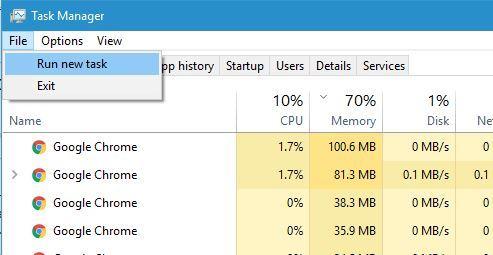
What to do when you see 100% disk usage in the Task Manager? How to fix this high disk usage problem and get back your PC on its track? Read to know how to resolve the high disk usage error in Windows 10.
Many users have reported that the Windows 10 login screen doesn't show up up on their PC or the login screen suddenly stopped appearing. Here are the fixes you can try if the login prompt doesnt' appear on your Windows 10 PC.
How to Fix Windows Key Not Working in Windows 10,,Using PowerShell,Modify your Registry,Disable Gaming Mode, Check for Malware and Viruses,Perform SFC Scan
If you’re stuck with any issue on your Windows 10 PC, and want to get a help, there are several ways to do that. Here we'll disucss the best ways for getting help in a Windows 10 computer.
System Configuration allows you to make customizations to your Windows settings. In this guide, we will be discussing all the possible ways to open the System Configuration tool or msconfig.exe in all Windows versions.
Your Windows computer loves running upgrades. And, it should, considering how an outdated computer is at a greater risk of malfunctioning.
If you're using IE for your daily browsing, and it has just crashed saying
If you're seeing MSVCP120.dll missing error while starting a game or an application, here are the best possible wayss to fix the missing MSVCP120.dll error.
How do you fix the msvcr100.dll file missing error? In this article, we'll be discussing the six different ways to fix the msvcr100.dll file not found error in Windows.
When there's no sound on your Windows computer, you can see the red X on the sound icon in your taskbar. You'll see the error 'No Audio Output Device is Installed' in Windows.
A slow or poorly performing computer can be real annoyance. In this post, we will be discussing 10 actionable ways to optimize overall performance of Windows 10 computer.
Issues concerning the DMI (Desktop Management Interface) should not be overlooked. The DMI abstraction layer provides information to your operating system. Basically, it is the bridge between hardware/devices and the OS.So, try to fix this issue on priority. And, there are about six ways to troubleshoot this issue, without seeking any professional help
When PFN_LIST_CORRUPT error occurs, your system may not function well and you’ll need to find and fix the underlying issues. Here's how to fix the PFN List Corrupt error.
In this post, we have listed some preventative measure you can take to avoid your PC to crash after Windows Updates.
For us, opening an app on Windows 10 needs a simple double-click. For the operating system, however, launching an application or program entails running a list of processes and system files.
You may often find issues with your Windows 10 PC after installing the latest updates. You can either remove or reinstall Windows 10 updates to fix these problems. Here's how to rollback your Windows 10 to the pre-update version.
When Windows Host Process runDLL32 causes high CPU and disk usage, your Windows 10 faces system failures, errors and other issues. Here's how resolve this issue.
The high disk usage by Serice Host Local System process makes your Windows 10 PC extremely slow. Here's how to fix this issue.
Sometimes Windows Update Troubleshooter fails to solve the update issues automatically and you may end up seeing “Service Registration Is Missing or Corrupt” error on your windows 10 screen. Here's how to fix it.
Here, you’ll learn all about the System File Checker tool and how you use the SFC scan to repair damaged system files on your Windows 10/8/7 computer.
What is 'Some settings are managed by your organization' error message in Windows 10? Let's see the reasons why you see this message and how to fix it.
Is your Windows 10 PC running slow? Let's see some easy and actionable ways that can help you boost the speed of your Windows 10 computer.
When Start menu and Cortana stops working all of a sudden, it can be reallly annoying. Let's see why the Start Menu and Cortanan is not working on your Windows 10 PC and how to get it fixed.
When you find svchost.exe (netsvcs) using high network in the Task Manager window, your computer is facing a high network usage issue. Here's how to fix this problem.
You may want to format your removable disk which includes external hard drive, SD card, pen drive, SSD, USB flash drive and CD/DVD. Windows Was Unable to Complete the Format” Error or also another identical error “the format did not complete successfully.
Here we are to help you upgrade Windows 10 Home to Pro in a lesser expensive way! Windows has now come up with Windows 10 Pro edition to help you make the most of your time.
Many users have reported this strange Video Scheduler Internal Error problem in Windows 10. Let's see what this error means and how to fix it.
In Windows operating systems, programs need some guide to follow for executing tasks and actions. These guides are called as DLL files, and contain instructions for programs to follow.
DWM.exe or Desktop Windows Manager is a genuine Windows application that is responsible for the visual effects of different Windows program interfaces.
Did you just see an unknown process called unsecapp.exe running on your Windows Task Manager? Before you disable this process, you need to know whether unsecapp.exe safe or not for your PC.
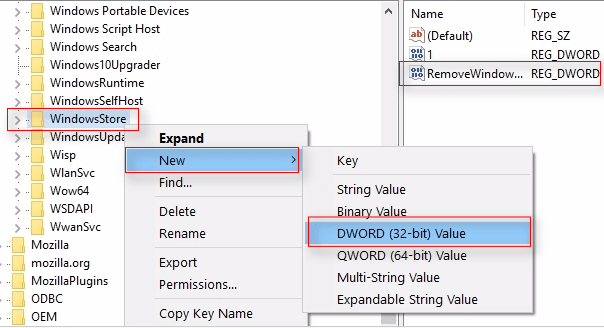
The registry, or Windows Registry, is one of the most critical system components on your Windows computer. It is a library or collection of databases that helps you configure and reconfigure settings on Windows operating systems.let’s get deep into it and understand what Windows Registry is, and for what it is used for.
It's really annoying when Windows 10 freezes randomly, without any error warning. In this guide, we'll be discussing the best possible ways to fix the Windows 10 PC random freezing problem.
What to do when your Windows 10 computer won't boot? There are many reasons why your Windows 10 PC doesn't start as usual. Here we'll discuss the best possible solutions to get your Windows 10 boot as usual.
If you are an avid Microsoft Windows 7 user, then chances are that you're facing issues updating your PC. If you're facing issues while updating your Windows 7 PC, here's how to fix.
Windows Experience Index score helps you find out the compitability and overall performance rating of your Windows PC. However, this feature is not available in Windows 8 onwards. In this guide, we will discuss how to check Windows Experience Index score in Windows 10.
You need to know exactly what has caused your computer’s IP address to clash with that of another system connected to the same network. Let’s see how to fix Windows has detected an IP address conflict error in easy ways.
Every Windows 10 user needs the Windows Store app to install apps or games. This makes Windows Store highly-essential for Windows 10 operating systems.
The high CPU usage by ‘WMI Provider Host’ service is reportedly the one that makes your computer extremely sluggish. Here's how to fix this problem.
Here are a few ways to fix high disk, CPU and memory usage from WSAPPX process on your Windows 10 PC