

8 Amazing jQuery Plugins For Sliding Images
jQuery is one of the most popular Javascript framwork out there. It is very easy to use and full of cool features. But it can be quite tedious for any web developer to know how to use the code and create amazing stuff using jQuery . So, develepors decided to release and create plugins to help us fulfill this task by making it easier for us. There are thousands of jQuery plugins available online for various cool features. DailyTechPost has gathered some amazing jQuery plugins for sliding images .
So here is DailyTechPost compilation of “ 8 Amazing jQuery Plugins For Sliding Images ”
1. Gallery View:
GalleryView is a jQuery Content Gallery Plugin. GalleryView aims to provide jQuery users with a flexible, attractive content gallery that is both easy to implement and a snap to customize.

2. jQuery Thumbs
Easy thumbnails creation with jQuery, jQuery Thumb dynamically wraps images and/or link images with a div.
3. Image Flow
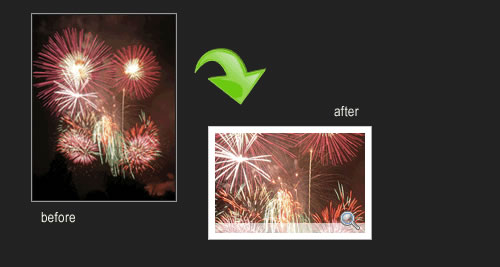
ImageFlow is an unobtrusive and userfriendly JavaScript image gallery that is perfect for large image galleries (it can support hundreds of images). It even has support for the iPhone.

4. Sliding Gallery
The Sliding Gallery plug-in will take a group of images and turn them into a cyclical gallery of images which the user can click through. One image will be centered on the screen, with two smaller images off to the sides. The user can click either of the smaller images to bring them to the center, or the center image to enlarge it.

5. S3 Slider
A simple way to add smooth image slideshows and showcases on your website.

6. Pirobox V.1.2.2
The script now weights only 12.5KB, (9KB Minified). There is a choice between five different styles. Slideshow option More. Multiple image set option More. PngFix for Internet Explorer 6. Keyboard navigation: Right arrow [next], Left arrow [prev], ESC [close]. Broken Link Check. Automatic repositioning of the image in the browser window. Browser compatibility: FireFox 2+, Opera9.5+, Chrome, Safari (Mac/Windows),IE 6+.

7. Moving Boxes
A nice looking jQuery content slider with buttons to change panels and the panels zoom in and out. Moving Boxes comes with a keyboard support: arrow keys, spacebar, and enter key. Also number of panels and initial widths/sizes are no hard coded, so easier to build upon.

8. Zoomimage
Present you images in stylish way. The links are unobtrusively highjacked to open the images in an inpage popup with drop shadow and border.

Do share your opinions with us

Similar articles
Well its not an unknown fact now that, loading speed do effects search results. As our blog grows we keep on adding extra things into it, like an image in side bar or too many plugins, unnecessary java scripts etc. All these things effects the loading speed of our blog adversely. But thankfully ther
All bloggers want their blog to be SEO ready and they try to Optimize Blogby numerous methods and techniques. We all know how important it is to keep our blog SEO ready. Not only it helps in easily getting indexed by Google, it also helps in getting ranked higher.
Wordpress is one of the powerful platforms used to build a blog. Wordpress photo gallery plugins are really very useful for creating blog portfolios for sharing your pictures with your friends, family, and your followers
Recently we shared with you how to use update services in wordpress . If you have a long list of Pinging sites then optimizing the pinglist becomes a tedious task, as you might get penalized if you pinging too often and this can happen if you have some duplicate sites in the list. And conversely the
Many at times it is required to display a static page on a wordpress site. Well its too easy to do that, but sometimes on that static page if we wish to display recent posts or recent posts of any particular tag, then it would require some special efforts (Plugin !!) to do so. Here in this article I
Well all this happened due the fact that our hosting server was shifted and many security scripts were also introduced and thus SMTP permissions were reconfigured. So for all that, SMTP settings in WordPress were needed to be configured to make contact forms functioning. So here we are sharing how t